I've decided to move my blog over to WordPress.
You can now find all my old posts plus any future posts here: http://jeremywiebe.wordpress.com/
Thursday, August 04, 2011


Thursday, June 16, 2011
Knockout.js - cleaning up the client-side
I've started a new project with a client and it's quite a shift for me. Coming off a heavy client (WinForms), 3-year project I'm now working in ASP.NET MVC and javascript. One of my goals with regards to the architecture was to keep a handle on the javascript. The project is integrating with the ESRI ArcGIS Javascript API and so there will be lots of client-side javascript and it will be important to keep it organized and maintainable.
In looking around for javascript libraries to help with this I found Knockout.js. This is a library for building larger-scale web applications that use javascript more heavily.
Knockout works by extending the properties of your javascript models (basically a POJO... Plain Old Javascript Object). You can then bind your model to the view (HTML elements) by marking up the HTML elements using "knockout bindings" (there are quite a few to choose from and they're listed here). Basically a knockout binding is a way to bind a property on your model to a specific attribute of an HTML element. There are quite a few that come built into Knockout (including things like text, visible, css, click, etc).
Once you've got the view marked up you simply call
Let's walk through a simple example as that'll make things more clear (I'm going to use the same Login UI example as Derick Bailey used for his first Backbone.js post so it's a bit easier to compare apples-to-apples... hopefully).
The layout is very similar to a Backbone view except that in a Knockout view you add extra 'data-bind' attributes.
Notice the 'data-bind' attributes in the markup. These dictate how knockout will bind the model we provide to the UI. Let's move on to the model now.
This is very close to being a simple javascript object. The only trick is that any property that we want to bind to the UI should be initialized via the ko.observable() method. The value we pass to the ko.observable() will become the property's underlying value.
Once we've instantiated a model object we simply call ko.applyBindings() and Knockout does the rest. (Note that the second parameter is the HTML element that should be the root of the binding. It is optional if you are only binding one object to your page, but I think in almost any application you'll get to a point where you want to bind multiple objects so this shows how to do that.)
At this point Knockout will keep the UI and model in sync as we manipulate it. This is full 2-way binding for the text elements. So if the user types in the username field, the model's username property is updated. If we update the model's username property the UI will be updated as well.
Derick noted in his blog post the mixing of jQuery and Backbone.js. I'm doing some of that here, but I think Knockout.js doesn't need jQuery as much because of how the binding is declared (on the HTML elements themselves).
I'm going to try to follow Derick's excellent series of posts on Backbone.js and comment on how the subjects he discusses compare and contrast with Knockout.js.
In the end I think both are very capable libraries even if they come at the problem from slightly different angles. In the end it's all about better organization of javascript and better assignment of responsibilities in the javascript you write.
In looking around for javascript libraries to help with this I found Knockout.js. This is a library for building larger-scale web applications that use javascript more heavily.
Knockout works by extending the properties of your javascript models (basically a POJO... Plain Old Javascript Object). You can then bind your model to the view (HTML elements) by marking up the HTML elements using "knockout bindings" (there are quite a few to choose from and they're listed here). Basically a knockout binding is a way to bind a property on your model to a specific attribute of an HTML element. There are quite a few that come built into Knockout (including things like text, visible, css, click, etc).
Once you've got the view marked up you simply call
ko.applyBindings(model);and Knockout takes it the rest of the way.
Let's walk through a simple example as that'll make things more clear (I'm going to use the same Login UI example as Derick Bailey used for his first Backbone.js post so it's a bit easier to compare apples-to-apples... hopefully).
The layout is very similar to a Backbone view except that in a Knockout view you add extra 'data-bind' attributes.
Notice the 'data-bind' attributes in the markup. These dictate how knockout will bind the model we provide to the UI. Let's move on to the model now.
This is very close to being a simple javascript object. The only trick is that any property that we want to bind to the UI should be initialized via the ko.observable() method. The value we pass to the ko.observable() will become the property's underlying value.
Once we've instantiated a model object we simply call ko.applyBindings() and Knockout does the rest. (Note that the second parameter is the HTML element that should be the root of the binding. It is optional if you are only binding one object to your page, but I think in almost any application you'll get to a point where you want to bind multiple objects so this shows how to do that.)
At this point Knockout will keep the UI and model in sync as we manipulate it. This is full 2-way binding for the text elements. So if the user types in the username field, the model's username property is updated. If we update the model's username property the UI will be updated as well.
Derick noted in his blog post the mixing of jQuery and Backbone.js. I'm doing some of that here, but I think Knockout.js doesn't need jQuery as much because of how the binding is declared (on the HTML elements themselves).
I'm going to try to follow Derick's excellent series of posts on Backbone.js and comment on how the subjects he discusses compare and contrast with Knockout.js.
In the end I think both are very capable libraries even if they come at the problem from slightly different angles. In the end it's all about better organization of javascript and better assignment of responsibilities in the javascript you write.
Thursday, April 21, 2011
Getting Started with AutoTest.Net
I recently came across a new tool called AutoTest.Net. This is a great tool if you are a TDD/BDD practitioner. Basically AutoTest.Net can sit in the background and watch your source tree. Whenever you make changes to a file and save it, AutoTest will build your solution and run all unit tests that it finds. When it has run the tests it will display the failed tests in the AutoTest window (there is also a console runner if you are a hardcore console user).
This takes away some of the friction that comes with unit testing because now you don’t have to do the step of build and run tests during development. Simply write a test and save. AutoTest runs your tests and you see a failed test. Now implement the code that should make the test and save again. AutoTest again detects the change and does a build and test run. This cycle becomes automatic quite quickly and I’m finding I really like not having to explicitly build and run tests.
Features
AutoTest.Net sports a nice set of features. You can see the full list of features on the main GitHub repo page (scroll down) but here’s a few. It supports multiple test frameworks including MSTest, NUnit, MSpec, and XUnit.net (I believe other frameworks can be supported by writing a plugin). It can also monitor your project in two different ways. One is by watching for changes to all files in your project (ie. watching the source files). The other is by watching only assemblies. Using this second method it would only run tests when you recompile your code manually. I’m not sure where this would be preferred but I might find a use for it yet.
Edit: Svein (the author of AutoTest.Net) commented that one other compelling feature is Growl/Snarl support. If you have either one installed you can get test pass/fail notifications through Growl/Snarl, which means you don't have to flip back to the AutoTest window to check that status of your code. Nice!
This leads me to one other feature that I missed and that is that AutoTest.Net is cross-platform. It currently supports both the Microsoft .NET framework as well as Mono. This means you can develop on OS X or Linux.
Getting AutoTest.Net
So, to get started, download AutoTest.Net from GitHub. The easiest way is to click the “Downloads” link on the main AutoTest.Net project page and click one of the AutoTest zipfile links (at this time AutoTest.Net-v1.1.zip is the latest).

Once downloaded, unzip to a directory that you’ll run it from. I’ve put it in my “utilities” directory. At this point you can start using AutoTest.Net by running AutoTest.WinForms.exe or AutoTest.Console.exe. If you run the WinForms version, AutoTest will start by asking you what directory you’d like to monitor for changes. Typically you would select the root directory of your .Net solution (where your .sln file resides). Once you’ve selected a directory and clicked OK, you’re ready to start development.

The screenshot above is the main AutoTest.Net window. You can see that it ran 1 build and executed a total of 13 unit tests. The neat thing is that now as I continue to work, all I need to do to cause AutoTest.Net to recompile and re-run all tests is to make a code change and save the file. This sounds like a small change in the regular flow of code, save, build, run tests. However, once I worked with AutoTest.Net for a while it started to feel very natural and going back to the old flow will feel like adding friction.
Configuration
Alright, so we have AutoTest.Net running and that’s good. As with most tools, it comes with a config file, AutoTest.config (which is shared between the WinForms and Console apps). This config file is well-documented so for the most part you can just open it up and figure out what knobs you can adjust.
Overriding Options
One nice feature that AutoTest.Net has is that you can have a base configuration in the directory where the AutoTest binaries reside but then override it by dropping an AutoTest.config file in the root directory that you are monitoring. This allows you to keep a sensible base config in your AutoTest application directory and then override per-project as needed. Typically I’ve been setting the “watch” directory as the directory that my .sln file is in and so you’d drop the AutoTest.config file in the same directory as the .sln file.

In the above screenshot I have the AutoTest.config file which overrides a few settings, one of which is the ignore file: _ignorefile.txt.
IgnoreFile Option
One option that is useful is called the IgnoreFile. This is well-documented in the config file but it didn’t click with me initially. The IgnoreFile option specifies a file that contains a list of files and folders that AutoTest.Net should ignore when monitoring the configured directories for changes. The config file mentions the .gitignore file as an similar example so if you are familiar with git, it should make sense. The one piece that took me a while to figure out was where this ignore file should go. I finally figured out that if you put it in the root of the monitored directory (ie. beside your .sln file), it will pick it up (see above screenshot).
Wrapping up
AutoTest.Net is a great tool to help with the Red, Green, Refactor flow. It removes some of the friction in my day-to-day work by eliminating the need to manually invoke a compile and test run.
Lastly, the observant readers will have noticed that I said it builds and runs all tests any time it notices a file change. Greg Young is working on a tool called Mighty Moose that builds on top of AutoTest.Net as an add-in to Visual Studio (I think there’s a standalone version too). Mighty Moose ups the ante by figuring out what code changed and what tests would be affected by that change. It then only runs the affected tests, significantly cutting down the test run time.
Tuesday, January 04, 2011
Querying XML Columns in SQL Server 2008
We make use of XML columns in a few places on our current project. XML columns are great for storing “blobs” of data when you want to be able to change the schema of the stored data without having to make database changes (it also provides flexibility in what you store in that column).
Occasionally, we need to query based on parts of the XML in these columns. Now because these are XML columns it’s not quite as easy to query on parts of the column as an int or nvarchar column. This is further complicated when the XML being stored uses namespaces.
Let’s start with the following table:

And here’s a sample of the XML stored in the column:
<CustomerInfo xmlns=http://schemas.datacontract.org/2004/07/Sample.Dto
              xmlns:i="http://www.w3.org/2001/XMLSchema-instance"
              xmlns:d="http://custom.domain.example.org/Addresses">
    <FirstName>Jeremy</FirstName>
    <LastName>Wiebe</LastName>
    <d:Address>
        <d:AddressId>82FC06FA-46A9-47CA-81AA-A0B968BCEE49</d:AddressId>
        <d:Line1>123 Main Street</d:Line1>
        <d:City>Toronto</d:City>
    </d:Address>
</CustomerInfo>
Now we could query for this row in the table by first name using the following query:
WITH XMLNAMESPACES ('http://www.w3.org/2001/XMLSchema-instance' as i,
                    'http://schemas.datacontract.org/2004/07/Sample.Dto' as s,
                    'http://custom.domain.example.org/Addresses' as d)
select CustomerInfo.value('(/s:CustomerInfo/s:FirstName)[1]', 'nvarchar(max)') as FirstName,
       CustomerInfo.value('(/s:CustomerInfo/s:LastName)[1]', 'nvarchar(max)') as LastName,
       CustomerInfo.value('(/s:CustomerInfo/d:Address/d:City)[1]', 'nvarchar(max)') as City,
from Customer
where
    MessageXml.value('(/s:CustomerInfo/d:Address/d:AddressId)[1]', 'nvarchar(max)') = '82FC06FA-46A9-47CA-81AA-A0B968BCEE49'
This would list out the FirstName, LastName, and City for any row where the AddressId was ‘82FC06FA-46A9-47CA-81AA-A0B968BCEE49’. There are a two things to note:
Namespaces
Any time you query XML (in any language/platform) that include XML your query must take that into account. In T-SQL, you define namespaces and their prefixes using the WITH XMLNAMESPACES statement. This statement defines the namespace prefix and associated namespace URI.
Once you’ve defined them, you can use the namespace prefix in your XPath queries so that you can properly identify the XML elements you want. One final note about namespaces here is that we have to define a namespace prefix for the namespace that was the default namespace in the XML sample. As far as I know there’s no way to define a default XML namespace using the WITH XMLNAMESPACES statement.
XPath Query results
Notice that the XPath queries (the CustomerInfo.value() calls) always index into the results to get the first item in the result. The .value() function always returns an array of matching XML nodes, so if you only want the first (which is often the case, you need to index into the results. Also note that with these XPath queries, the results are a 1-based array, not 0-based. So in this example we’re always taking the first element in the result set.
There are other functions you can use to query XML columns in T-SQL and you can find out more about this in the Books Online or via MSDN. This page is a good starting point for querying XML columns: http://msdn.microsoft.com/en-us/library/ms189075.aspx.
Thursday, September 03, 2009
Uncovering intermittent test failures using VS Load Tests
Our team build has been flaky lately with several unit tests that fail intermittently (and most often only on the build server). I was getting fed up with a build that was broken most of the time so I decided to see if I could figure out why the tests fail.
Working on the premise that the intermittent failure was either multiple tests stepping on each other’s toes or timing related. I decided the easier one to figure out would be the timing issue.
To create a new load test:
1) Select “Test –> New Test” and select “Load Test” from the “Add New Test” dialog

2) You will be presented with a Wizard that will help you build a load test. I don’t know what each setting means, but for the most part I left the settings at their defaults. I’ve noted the exceptions below.
a) Welcome

b) Scenario

c) Load Pattern

d) Test Mix Model
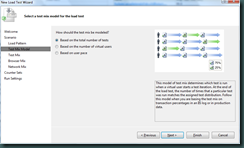
e) Test Mix
The Test Mix step allows you to select which tests should be included in the load test. For my purposes, I selected the single test that was failing intermittently. If you select multiple tests this step allows you to manage the distribution of each test within the load.

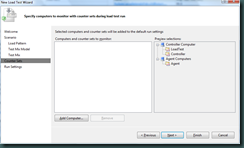
f) Counter Sets
g) Run Settings
Finally, you are able to manage the Warm up duration and Run duration. Warm up duration is used to “warm up” the environment. During this time the load test controller simply runs the tests but does not include their results in the load test. The Run duration represents how long the load test controller will run the mix of tests selected in the “Test Mix” step.
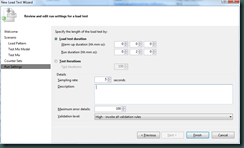


Once you click Finish, you will be presented with a view of the load test you’ve just created. You can now click on the “Run test” button to execute the load test.
Gotcha: The first time I tried to do a load test it complained that it couldn’t connect to the database. You can resolve this by running the following SQL script and then going into Visual Studio and selecting Test –> Administer Test Controllers… This will bring up the following dialog.

The only thing you need to configure in this dialog is the database connection (the script will create a database called “LoadTest”) so in my case the connection string looked like this:
Data Source=(local);Initial Catalog=LoadTest;Integrated Security=True

Now that you have the load test created, you are ready to run it. Click the “Run test” button on the load test window (shown below).

While the load test is running, Visual Studio will show you 4 graphs that give you information about the current test run. You can play with the option checkboxes to show/hide different metrics.
In my case, as the load test ran the unit test I’d selected started to fail. This at least showed me that I could reproduce the failure on my local machine now.
Next I added a bit of code to the unit test prior to the assertion that was failing. Instead of doing the assertion I added code to check for the failure condition and called Debugger.Break().
I ran the test again, but this time as I hit the Debugger.Break calls I could step through the code very well because the load test was running 25 simultaneous threads (simulating 25 users). I dug around a bit and found that you can change the number of simultaneous users. You can adjust the setting by selecting the “Constant Load Pattern” node and adjusting the “Constant User Count” in the Properties window.
I ran the test again and this time I was able to debug the test and figure out what was wrong.
Overall using the load test tool in Visual Studio was quite easy to set up and get going. Other than the requirement of a database (which is used to store the load test results) it was very easy to set up.
Wednesday, August 26, 2009
Lessons learned using an IoC Container
I am working on my first project that’s using an IoC container heavily. Overall it’s been a very positive experience. However, we have learned some things have caused us pain in testing, bug fixing, and general code maintenance.
Separate component registration from application start-up
This is a constant source of problem on our project. If you don’t separate component registration from your component start-up path you often run into a chicken-and-egg problem. You may be resolving a component that depends on other components that haven’t yet been registered. This makes for a very brittle start-up path that is prone to breakage as you add dependencies to your components. Now the container that is supposed to decouple things is causing you to micromanage your component registration and start-up.
The solution is to split registration from component start-up. This makes perfect sense to me now, but wasn’t so obvious when we started the project. Lesson learned!
Be careful with a global service locator
We went quite a while without using a global service locator (essentially a singleton instance of the container) but eventually found that we needed it. This might have been avoided with better design-fu but we couldn’t think of a better alternative at the time.
What we found was that the global container made things difficult to test. This became especially painful when we needed to push mock objects into our container and than manually clean up the registrations to replace them with the production components that other tests might expect. I’d be interested in hearing if you have a way to solve this problem, and if so, how.
Use a Full-Featured Container
When we started the project we had intended to use Enterprise Library for some features. EntLib has Unity integration so we settled on using Unity as our IoC container by default. The container itself has served us extremely well. What we’ve found lacking in the container though is it’s supporting infrastructure features. A container like StructureMap comes with alot of nice features that aren’t core IoC features. For example, it reduces the “ceremony” (as Jeremy D. Miller would say) of registering components by providing convention-based component registration. StructureMap also provides detailed diagnostics that help you figure out what’s wrong with your component registrations if things don’t work.
That summarizes the biggest points that we’ve learned so far. I’d be interested to hear some “gotchas” that you’ve learned from using an IoC container “in anger”.
Monday, August 10, 2009
An Introduction to StructureMap
Over the next several months I will be presenting a walkthrough of StructureMap. I will be starting with the basics of how to construct objects using StructureMap and then move on to more advanced topics.
I know there is lots of great information out there around how to use StructureMap. My intention for writing this series is mostly selfish. I want to learn StructureMap, and as I learn it I'll be blogging the features I'm learning as I go.
I’m currently working on a project that uses the Unity dependency injection container. This container has worked very well for us, but as I’ve read various blogs and articles I’ve come to realize that a good DI container provides more than just DI. It’s my intention to learn the basic usage of StructureMap, but also dig into the more advanced usages as well as much of it’s support infrastructure that helps you keep your dependency injection code to a minimum (thinking of auto-wiring, convention-based registration, etc).
I’ll also be updating this post as I write each new article so that this post can remain as a table of contents for the whole series.
- Manual component registration and resolution
- Auto-wiring components
- Convention-based registration
- Component lifetime management
Subscribe to:
Posts (Atom)